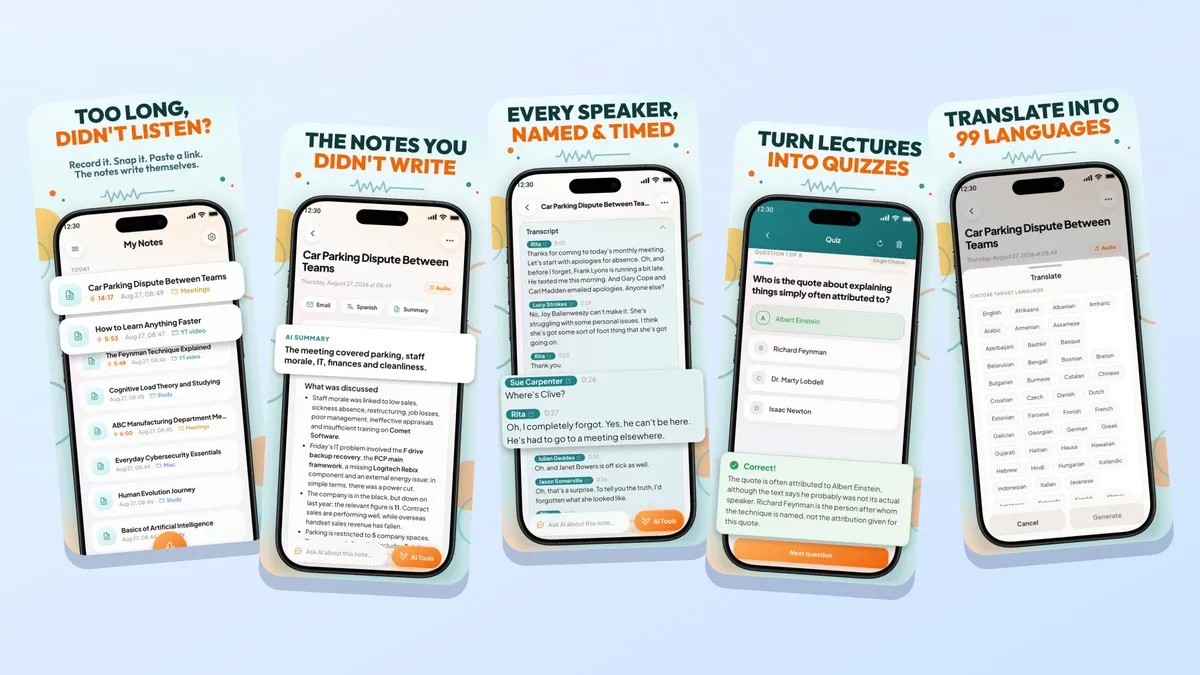
I release 11 apps to the App Store and Google Play, and I don't run the releases myself anymore. A Claude Code skill does. It's a written procedure: the phases of a release, the commands allowed in each, and the points where it has to stop and ask me. Since August 2026 it has shipped 25 releases.
For the store work the skill calls two command-line tools, asc for App Store Connect and gplay for Google Play Console. They do what they're told. What makes a release safe is what the skill knows about them, and most of that it learned the hard way: the version number isn't in git, several commands write to a live store without asking, and some checks return success while having verified nothing. This post is about those three, and the rule each one left in the skill.
What the release skill does
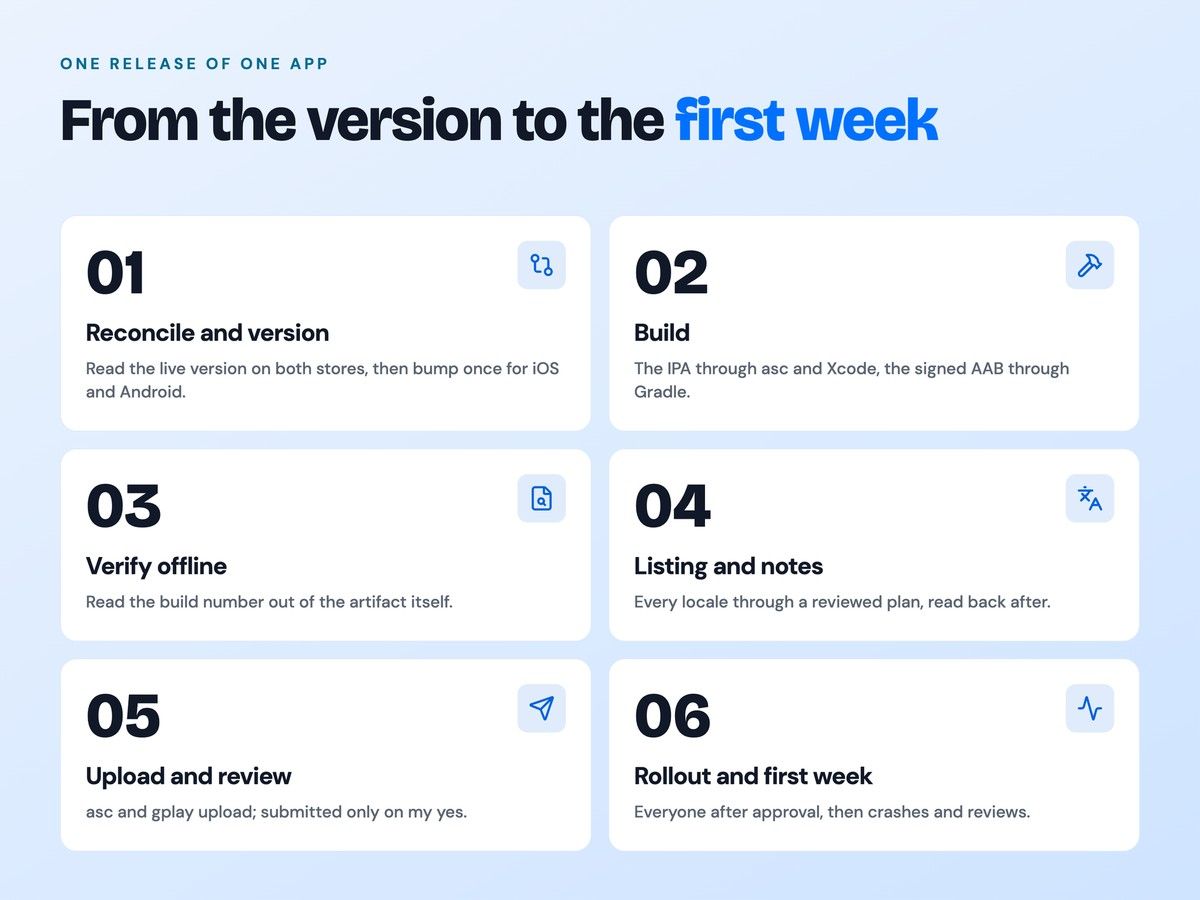
The skill runs the same six steps for every app, on both stores. asc covers the whole iOS
chain, from the archive to the review submission. On Android, gplay takes over once the signed
AAB exists. The skill decides the order, reads the output of every step, and stops at every
store write until I say yes.
Every run writes a record into the app's own repo: what shipped, the approvals I gave, the dates,
and what the first week showed. The latest, Primo Notes 2.0.3, carried
release notes in 21 languages. The skill wrote them into all 21 version localizations through a
reviewed plan and read them back, 21 of 21. One thing surprised me on the way: creating the new
version with --exclude-fields whatsNew still copied the release notes of 2.0.2, so they had to
be replaced before submission.
It reads the version from the stores, not from git
The project file has a version, and so do both stores, and they drift. So the skill starts every release by reading the live version and the latest build number from App Store Connect and Google Play, and it refuses to guess when they disagree.
Even then, the number in the artifact can be one nobody chose. On one build the archive carried
build 13 and the exported IPA carried 14. For an App Store Connect export, Xcode asks the store
for the highest build and writes the next one into the IPA, whatever the project says. The
version step, the archive and the export all succeed, and nothing reports it. So the skill exports
with an explicit options file, manageAppVersionAndBuildNumber set to false, and reads the build
number out of the artifact itself before the upload:
unzip -p App.ipa 'Payload/*.app/Info.plist' | plutil -extract CFBundleVersion raw - -o -
The last step of every release goes the other way: the skill reads the version back from the working tree, so the code on my machine is the code each store received.
It never trusts a command that writes to a live store
Three commands looked safe and weren't. Each one is now a rule in the skill.
gplay uses Go's standard flag parser, which stops at the first argument that isn't a flag and
silently ignores everything after it. So gplay workflow run legacy --dry-run ran for real,
and gplay --dry-run workflow run legacy was skipped. I proved it with a workflow whose step
wrote a file: after the first form, the file was there. The CLI's own help examples use the
broken order, so the skill puts all flags first in every gplay call.
asc xcode export --wait reads like "be patient". Without an explicit export options file,
--wait switches the export to upload mode, so Xcode uploads the build straight to App Store
Connect and writes no local IPA. That's the second reason the skill never exports without its own
options file.
A Play metadata folder with only a title in one locale clears that locale's short and full description on push. Both validators call the folder valid. Only the dry-run shows it:
[DRY RUN] Would update fr-FR: title="...", short_description="", full_description=""
So the skill reads every dry-run for empty descriptions before it adds --confirm.
It gates on JSON fields, not on checks that say ok
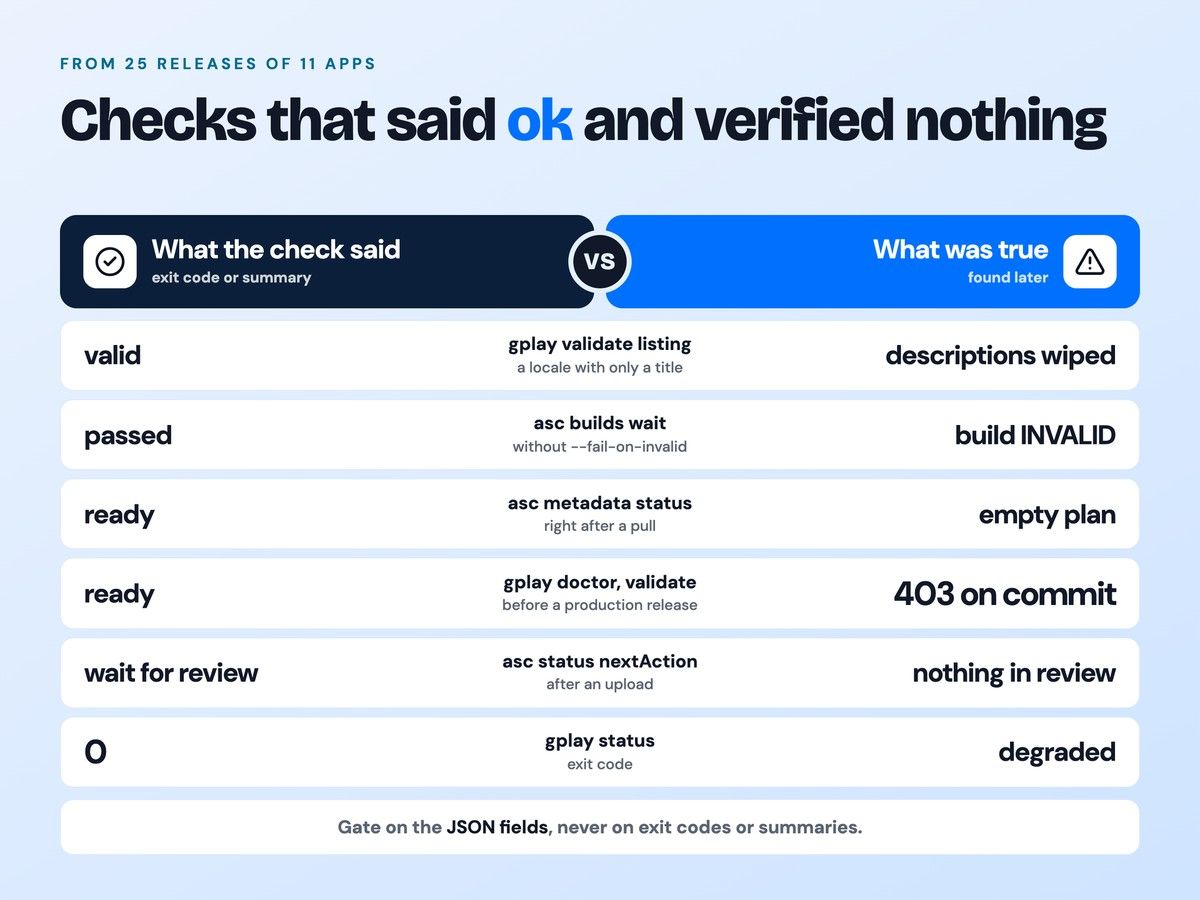
The one that cost the most was on Google Play. gplay doctor passed 15 of 16 checks, and
gplay validate reported ready: true. The release still died with
Error 403: The caller does not have permission after the bundle had already uploaded. The
service account could create an edit, upload a bundle and configure a track, but it could not
commit an edit that carries a release. Every check that runs before the attempt is green, and
the failure lands in the middle of it. No CLI can test that, so it's now a one-time account fact
I confirm in Play Console under Users and permissions.
On iOS, asc status told me to wait for the review outcome right after an upload, while nothing
was in review and no build was attached to the version. It was reading a submission from months
earlier. asc review doctor gave the right next step at the same moment, so the skill takes the
state from review doctor and only the raw facts from status.
The rule that came out of all six: the skill reads the JSON fields, never the exit code and never
the summary. asc metadata status says ready: true when there is nothing to apply, so the gate
is ready, a change count above zero, and an approval that matches the plan, all three.
The rules written into the skill
- Every store write needs a fresh yes from me that names the action. Approving the release notes isn't approving the publish, and a yes for one write isn't a yes for the next.
- A dry-run comes first, every time. Three
gplaycommands can't be rehearsed (promote,rolloutandpublish track), so for those the skill reads the track's current state instead. - One command per store write, never a chained block, so every step can be checked on its own.
- JSON output only, never exit codes and never table output.
- A failed write is a real failure. The skill reads the remote state again before it retries anything.
What the skill hands to me
Some steps have no CLI path, and the skill hands them to me as steps with the app's values filled in. The Apple web login with two-factor authentication is mine: the skill gives me the command and carries on over the API meanwhile. So are the Play Data Safety form and the content rating, the Paid Applications agreement, which no CLI can read and without which subscriptions fail silently, and the reason Google rejected something.
Around the release sit other Claude Code skills: keywords and listing text for every locale, screenshot sets built in Figma and uploaded to both stores, subscription prices, a policy audit against Apple's review guidelines, and replies to reviews.
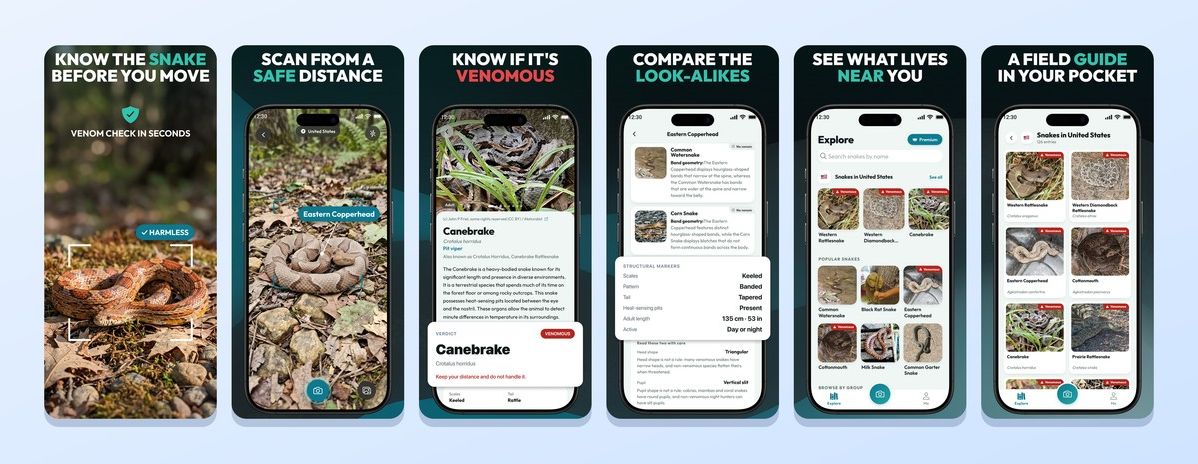
That set is Primo Snake's, one of its four, for iPhone, iPad, Android phones and tablets.
The release skill only ships what they prepared. Each of them is a post of its own.