
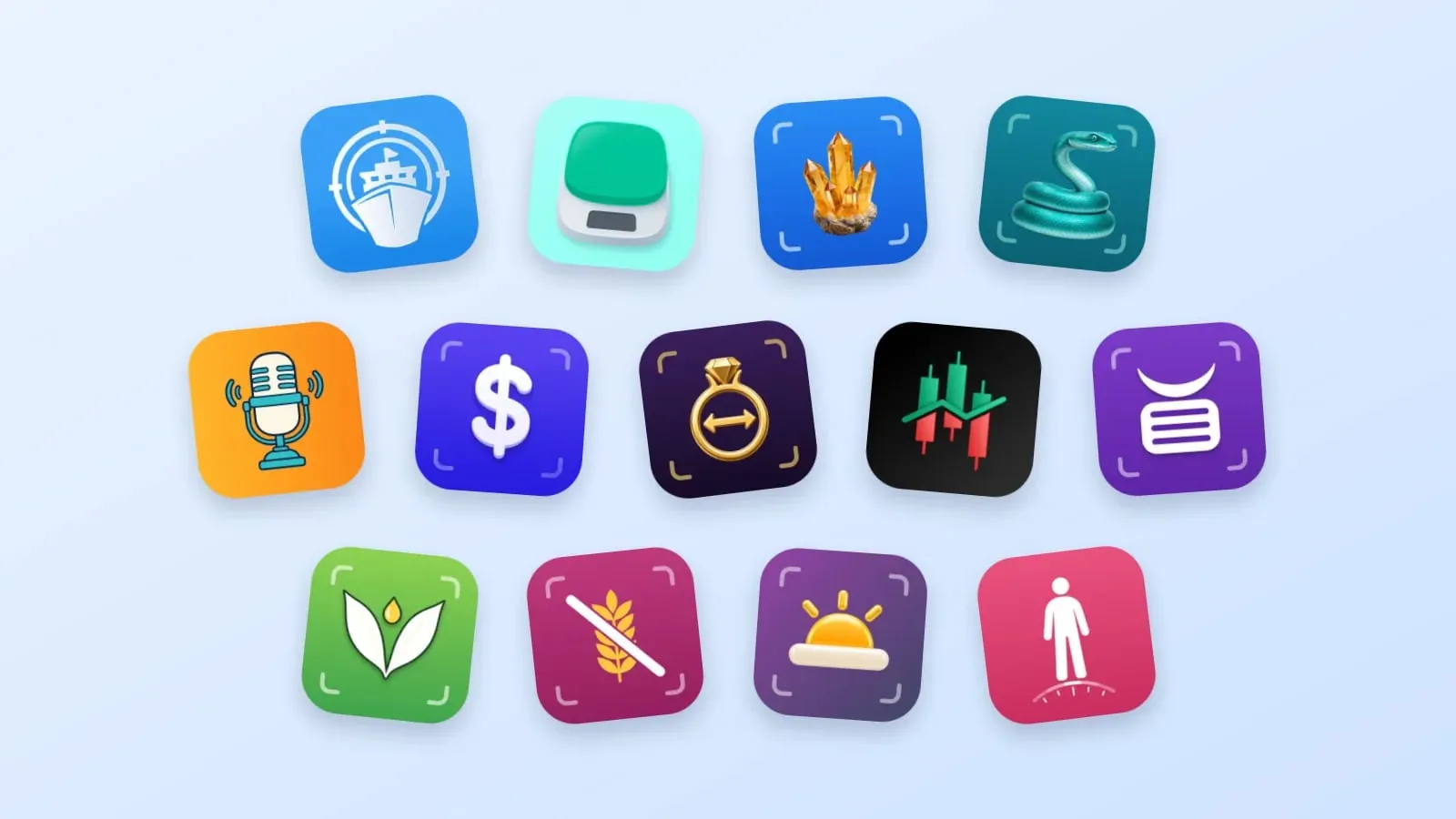
Primo Technology is an independent app studio. We build small apps for iPhone and Android, and each one does a single job: it answers one question, usually from a photo or a scan, and puts the answer on the first screen.
This first post is the introduction. It covers where the studio started, what is on the shelf today, and the workflow every new app now goes through, from the first keyword to the store review.
Where it started
The first app was Primo Nautic, released in February 2017. It shows any ship's live position, keeps a list of the vessels you follow, and sends an alert when one arrives or departs. It is still live today.
Primo Nautic set the pattern the later apps follow: one clear job, a result you can read at a glance, and a server that does the heavy work so the phone stays simple. Primo Notes followed in January 2025. From 2026 the shelf grew quickly, because by then every new app started from the same base instead of from nothing.
| Released | App | The one job |
|---|---|---|
| February 2017 | Primo Nautic | Follow a ship and get told when it arrives or departs |
| January 2025 | Primo Notes | Turn a recording, a photo, a PDF or a link into an organized note |
| March 2026 | Primo Trade | Explain a stock or a photographed price chart |
| April 2026 | Primo Scale | Estimate weight, size, count or calories from a photo |
| May 2026 | Primo Worth | Identify an item and compare it with similar ones |
| May 2026 | Primo Jewelry | Name the metal, era and hallmark, or measure a ring size |
| July 2026 | Primo Rocks | Name a rock, mineral, crystal, gem or fossil |
| September 2026 | Primo Snake | Give a likely species and a venom verdict |
| October 2026 | Primo Halal | Check whether a product is halal |
| October 2026 | Primo Vegan | Find anything in a product that comes from an animal |
| October 2026 | Primo Gluten | See which ingredients contain gluten |
The shelf today
Eleven apps are live on the App Store and Google Play, one product runs on the web, and two apps are still being built. They group into families: apps that share a trick also share most of their code.
| Family | Apps | What you do |
|---|---|---|
| Point the camera | Scale, Worth, Jewelry, Rocks, Snake | Photograph something and find out what it is, what it weighs or what kind it is |
| Scan the label | Halal, Vegan, Gluten | Scan a barcode or an ingredients list and get a verdict for your diet |
| Track and learn | Nautic, Notes, Trade | Follow a ship, keep notes, read a chart |
| On the web | Viral Slide Post | Build TikTok slideshows from proven templates |
| In development | Sober, BMI | Count sober days; track weight toward a goal |
The products page has every app with its screens and store links.
How a Primo app gets made
The apps look different, but they are made the same way. The path has eight steps in five chapters, and the how we work page shows it in full. Here is the short version.
1. Research, before a line of code
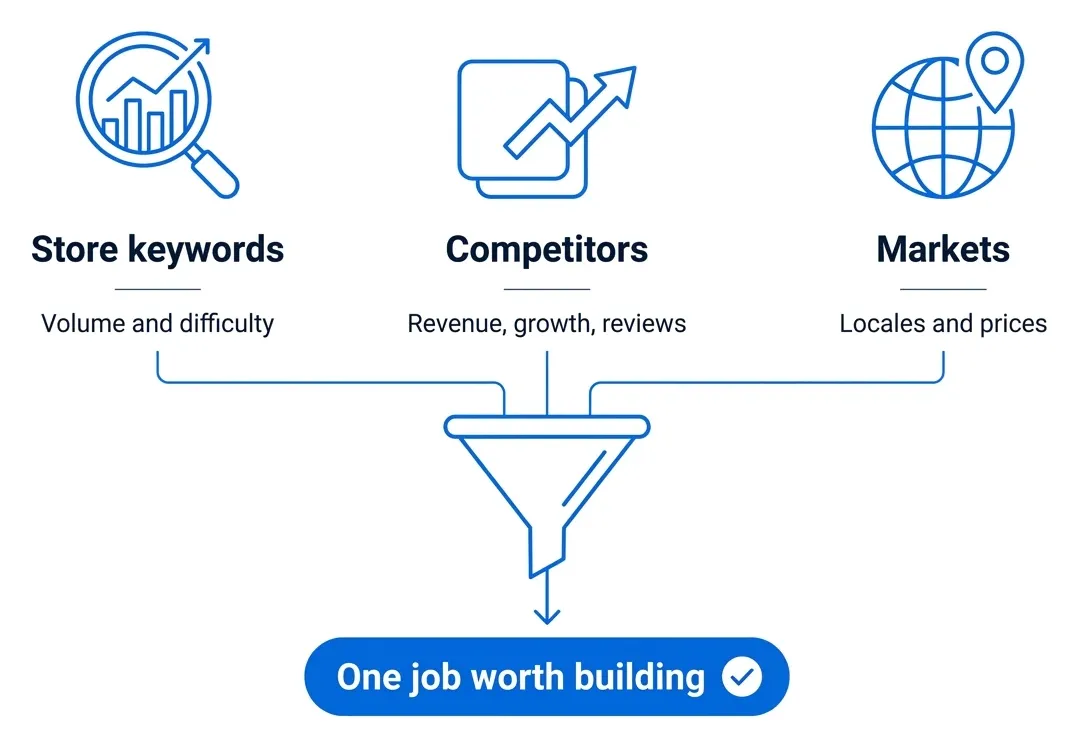
An app starts as a question people already search for, and we measure that first. We look at keyword demand and difficulty on both stores with Astro and Sonar, and at web search with DataForSEO. We read the competition: who already earns in the niche, how fast the newest apps grow, and what their one-star reviews keep asking for. And we pick the markets, because the same job is searched differently in every country, so keywords are researched per locale rather than translated.
2. Design, several directions then one
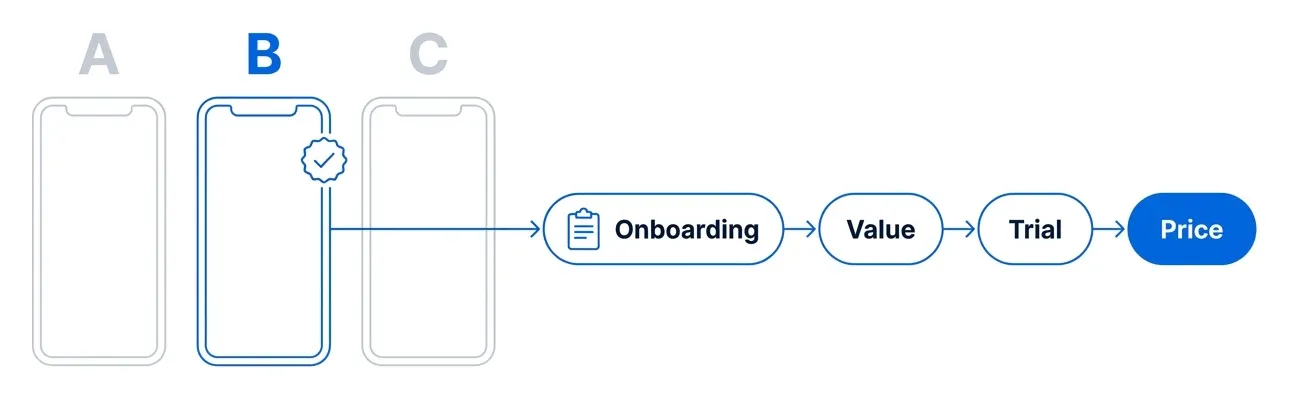
Two or three versions of the key screens are drafted side by side on a design canvas, and only the strongest gets built. Most of the care goes to two places: the onboarding, a short quiz that sets the app up for the person, and the paywall, which shows the value, the trial and the price in three steps.
3. Build, with a team of agents on one core
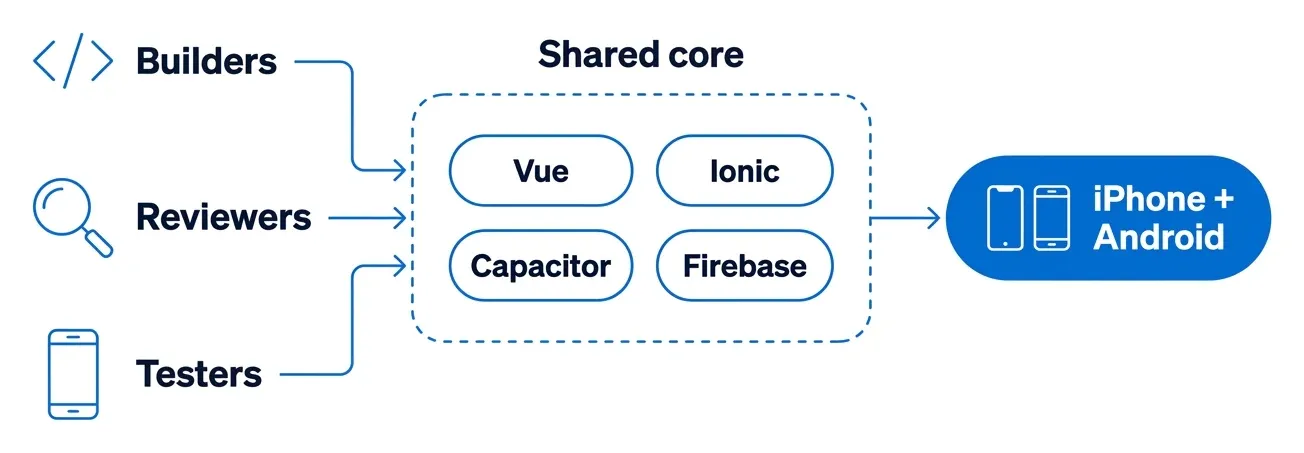
The building is done by AI agents, each in a narrow role. Builders write screens, components and Cloud Functions in parallel, reviewers read every change against our written guides, and testers drive the app at phone size. They all work on the same base: Ionic Vue on Capacitor, with Firebase behind it and RevenueCat for subscriptions. Because the base is shared, a fix found in one app is a known change in the others.
4. Store assets, automated then checked by hand
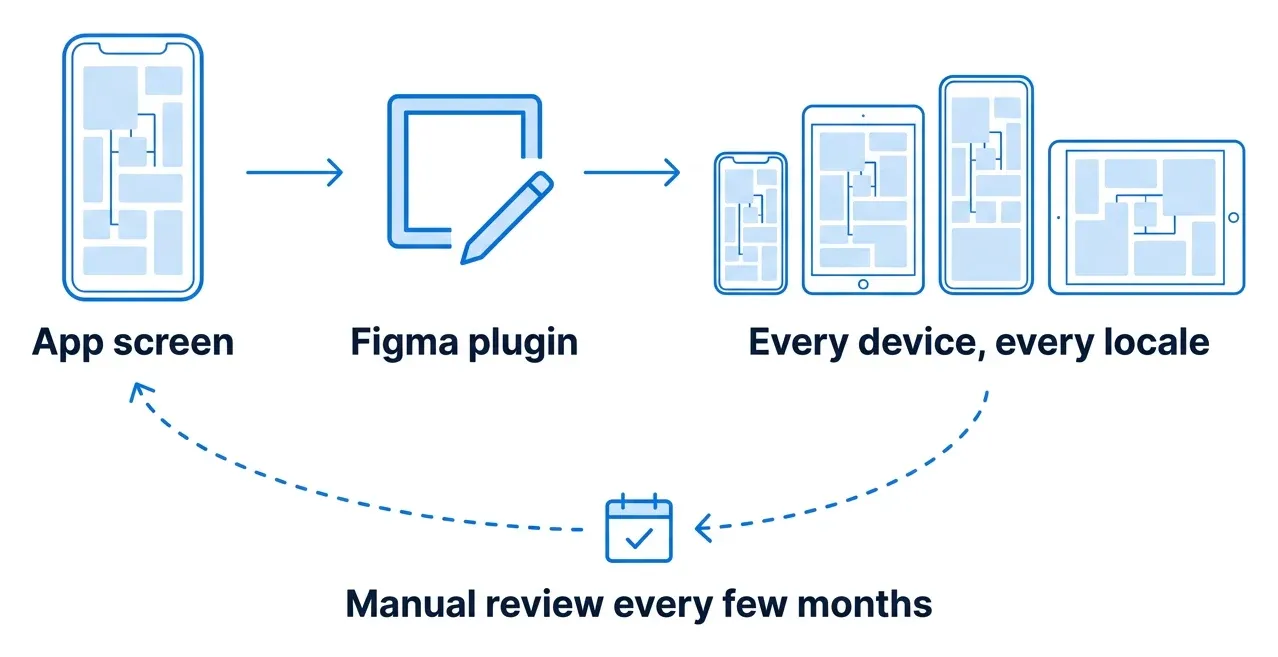
Store screenshots are captured from the running app, not drawn. Our own Figma plugin places them into the store set and exports it for every device size and every locale, and icons are built from layered templates. Every few months a person goes through the whole set, because automation does not notice a screen that changed or a headline that no longer fits.
5. Ship, from the terminal
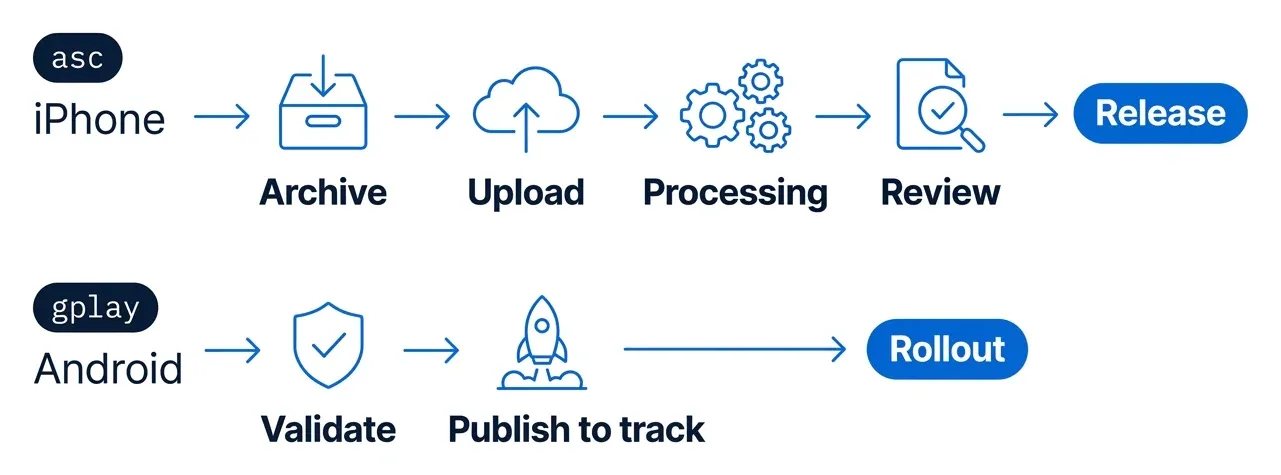
Builds, listings, uploads and review submission run from two command-line tools: asc for App Store Connect and gplay for Google Play Console. Nothing is clicked through a console, so every release goes the same way.
After release, reviews, crashes and usage decide what the next release fixes, and the path starts again.
What every app shares
The answer comes first. The result is the first thing you see, and the reason sits right under it: the ingredient that made a cheese doubtful, the portion data behind a weight, the snake that should be left alone.
The apps in a family run the same pipeline. Rocks and Snake share one flow from photo to answer, and Halal, Vegan and Gluten share another, differing only in their rules and their words. A camera plugin we maintain handles the preview, the depth measurements on Scale and the barcode reading for the label apps.
AI runs on the server, never in the app, and keys stay in Secret Manager. Scan history lives on the phone, and the scan functions return an answer without saving your photo. The apps that have accounts let you delete the account from inside the app.
What comes next
Two apps are on the workbench: Primo Sober, which counts the days since you stopped drinking, and Primo BMI, which tracks weigh-ins toward a goal. This blog will follow them, and go deeper into the parts above: how the label apps decide a verdict, how Primo Snake keeps the model away from the venom call, and what each step of the workflow looks like in practice.