
Listen, then repeat.
Reviews, crashes and usage decide what the next release fixes, and the path starts again at 01.
Every Primo app goes down the same path: find the demand, read the competition, try several directions, build with a team of agents, and ship to both stores from the terminal.
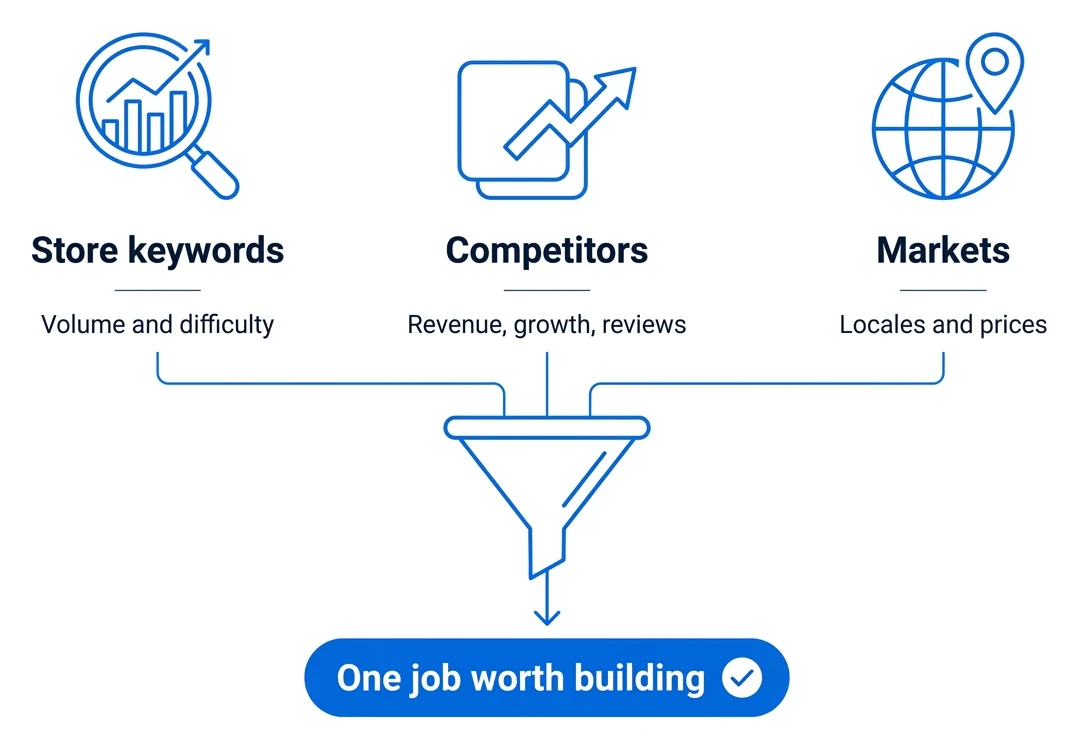
An app starts as a question people already search for. We measure that before we build anything.
Search volume and difficulty on the App Store and Google Play, and the same need in web search, with Astro, Sonar and DataForSEO.
Who earns in the niche, how fast newcomers grow, and what one-star reviews keep asking for.
Keywords researched per locale, not translated, and prices set per country.
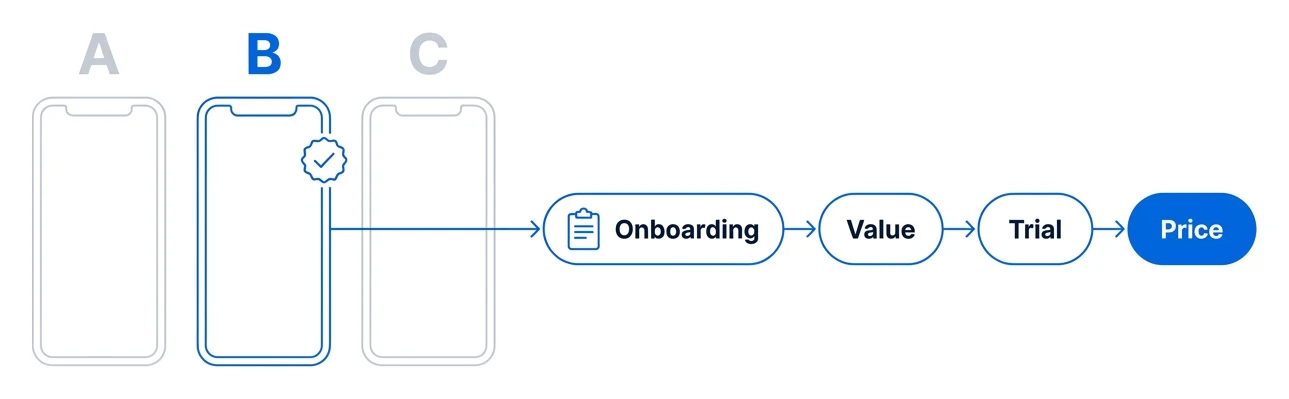
Two or three versions of the key screens, compared on one design canvas before any of them reaches code.
A short setup quiz, then value, trial and price, with variants we can switch without a release.
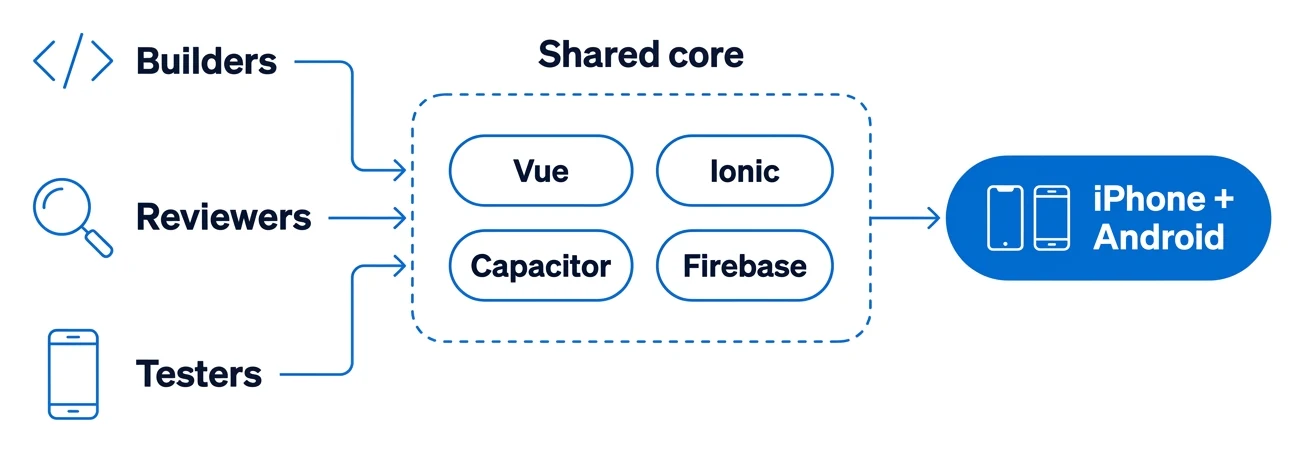
AI agents in narrow roles: builders write in parallel, reviewers read every change, testers run the app at phone size.
Every app starts from the same Vue, Ionic, Capacitor and Firebase base, so a fix in one reaches the rest.
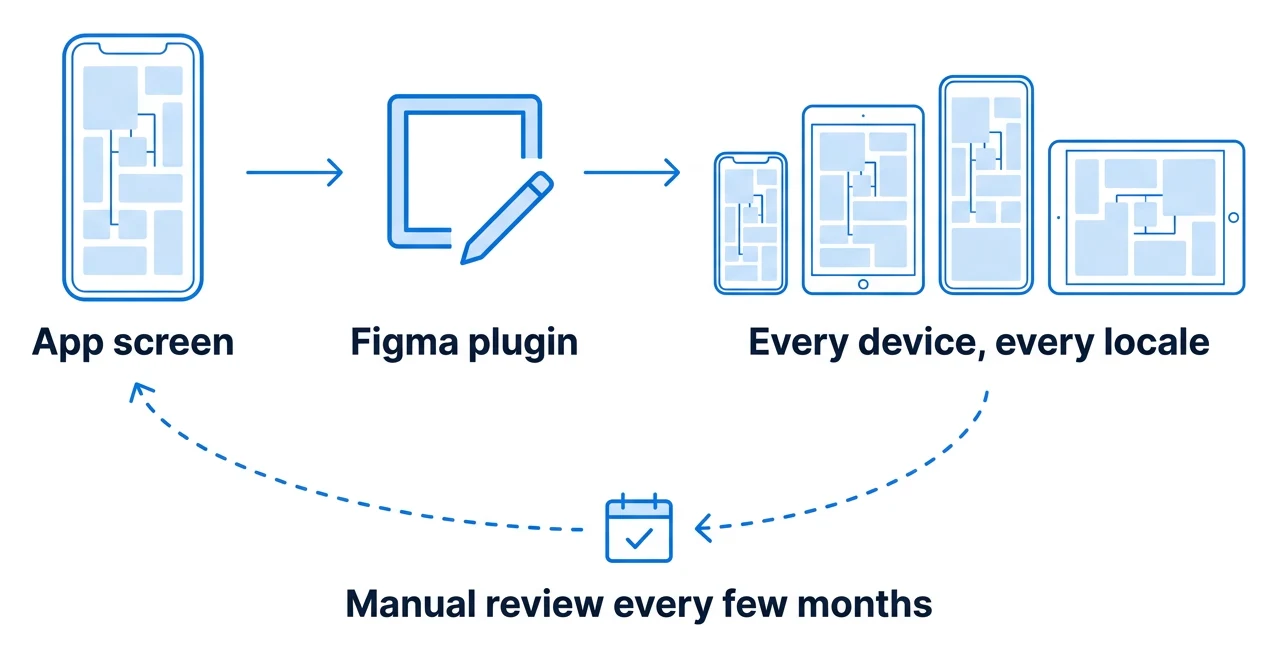
Screens captured from the running app, placed into Figma by our own plugin, exported for every device and locale.
A person reviews every set for what automation misses: a changed screen, a headline that no longer fits.
Builds, listings, uploads and review submission run from two command-line tools, the same way every release.
ascApp Store Connect · asccli.sh gplayGoogle Play Console · play-console-cli 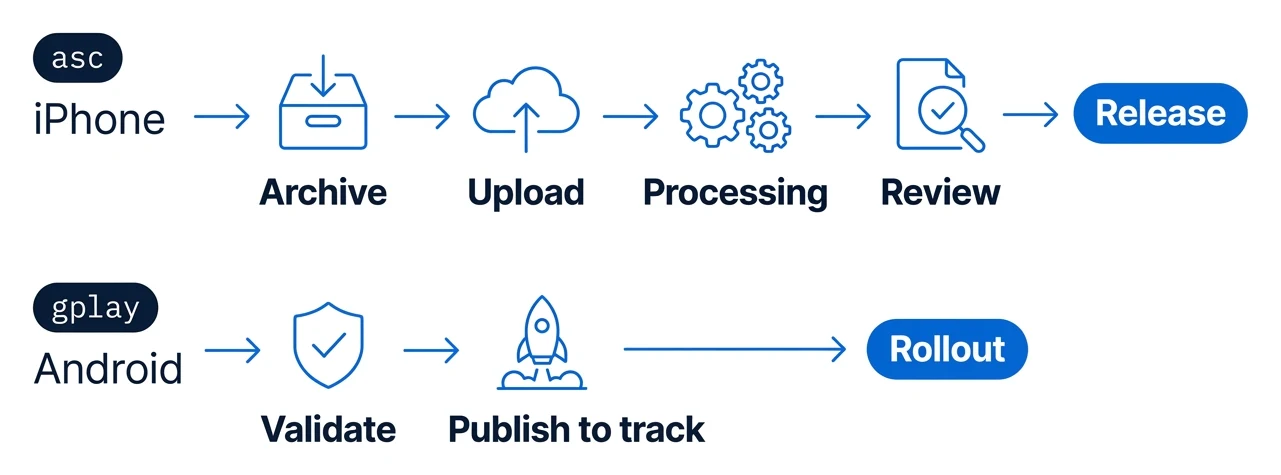
Reviews, crashes and usage decide what the next release fixes, and the path starts again at 01.